



How to implement SEO schema markup on WordPress websites

UFO search engine beaming light onto the essential SEO schema markup.

SEO schema markup helps search engines’ crawlability aspect and understand your  content in a deeper or clear way.  It adds meaning, not just content, so your pages can appear clear when indexed in search results. Schema can help the process of SEO like the following:

  • Crawlabity 
  • Indexability
  • Rankability
Diagram explaining the SEO schema markup performance path.

Schemas integration helps robots to crawl and understand better. Some schemas address the intention of your website and tell search engines what it is all about.

What is SEO Schema Markup and does it matter

What is schema in SEO is a common question among others. Mainly it refers to structured data added to your website to improve context and readability of the content. Because search engines depend on signals , schema gives more extra clarity. As a further result your pages may appear detailed that attract signals.

What is Schema markup used for on WordPress websites

What is schema markup used for depends on your content type. It can describe the content of pages and what kind of business.

  • Articles 
  • Products
  • Services
  • business details

This added layer helps search engines connect your page to user intent. Therefore, users find more relevant results quickly.

Schema important for SEO performance

Many people ask if schema is important for SEO when planning their strategy. While it does not directly change rankings, it improves how listings appear.Better display often leads to higher click rates. Because of this, schema supports overall SEO growth.

Is schema markup important for SEO on WordPress

SEO Schema markup is important, not only WordPress but all Content Management Systems.Structured data helps signaling search engines in such a way of organizing content. This improves how pages are indexed. As a result, your site becomes easier to understand and trust.

What are the types of schema markup in SEO

Types of schema markup in SEO have different interpretations depending on niche related. Each type fits a different content goal.

Content & Navigation

  • Article Schema: Used for news, blog posts, and scholarly articles 
  • Breadcrumb Schema: Shows the page’s position in the site hierarchy 
  • Website Schema: Specifically used for the homepage 

Identity & People 

  • Organization Schema: Provides details about your company, including the logo, social media profiles, and contact info. 
  • Local Business Schema: Essential for physical storefronts. 
  • Person Schema: Used for individuals (like a founder or a high-profile author). 

Commerce & Utility 

  • Product Schema: Highlights price, availability, and review ratings directly in search results 
  • Recipe Schema: Displays calories, cooking time, and star ratings. 
  • Job Posting Schema: Makes your job listings eligible to appear.

Education & Interactive 

  • FAQ Page Schema: Lists frequently asked questions and answers. 
  • How-To Schema: Breaks down a task into a series of steps (with images or video). 
  • Video Schema: Helps Google understand the duration, thumbnail, and “key moments” of a video.
  • Event Schema: Displays dates, locations, and ticket links for concerts, webinars, or festivals.

Choosing the right schema ensures your content matches its purpose. This improves accuracy and relevance.

How to add schema markup in WordPress?

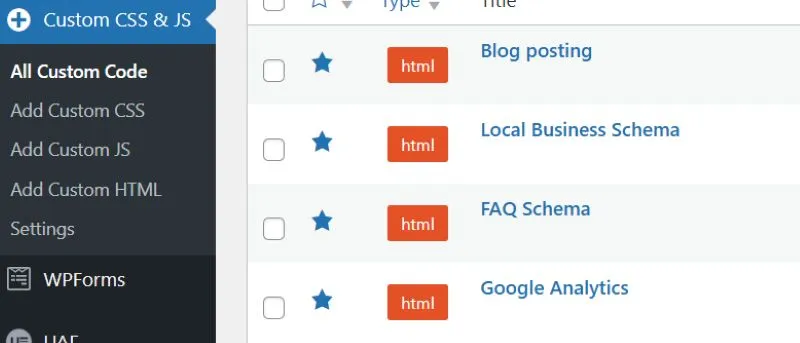
Two ways may be using plug-ins or manual coding. But plugins  WordPress is much easier to set-up. Step by step guide:

1.Install CSS and JS plugin.

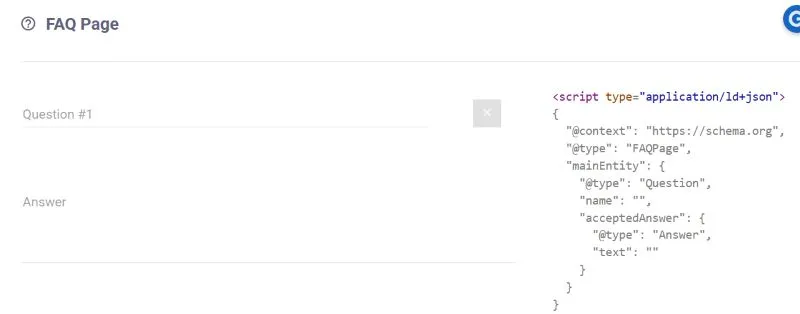
2.Create code at Technical SEO just search it from Google.

JSON-LD generator for creating on an FAQ page.

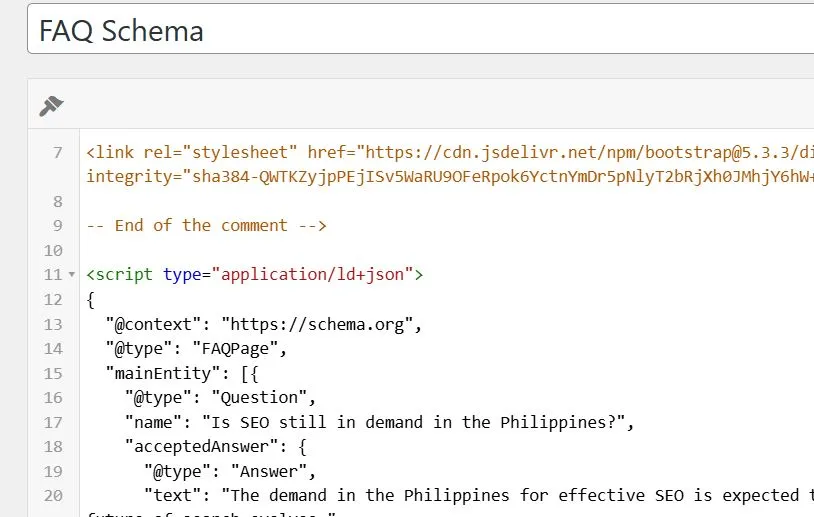
3.Paste from HTML using CSS and JS and save.

JSON-LD code snippet for SEO schema markup targeting FAQ sections.

Manual setup offers more control for advanced users. Both methods support schema markup for SEO effectively.

How do plugins simplify schema implementation?

Plugins reduce the need for coding knowledge. They provide fields where you input content details. Because of this, beginners can implement schema markup in SEO faster. This makes WordPress a flexible platform.

How to test schema markup on my website?

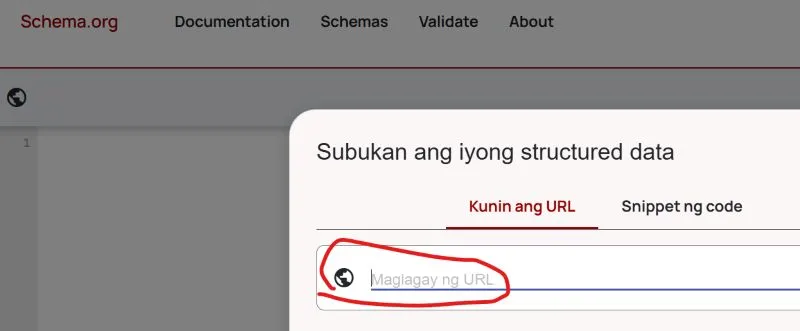
Testing tools is to verify and implement it correctly.Some errors or missing data when it will appear correctly in some testing tools. Commonly use and run your url with the following:

Schema.org

Using the Schema.org validation tool for testing.

Rich Result Test

Google Rich Results Test interface to verify.

Maintain schema for long term SEO success

Schema is always important for every website which can give a reason to rank in many search engines. Schema is part of long term success which SEO does by inbound marketing aspect. Outdated data can confuse search engines.

Key Takeaways
• Schema markup meaning that helps search engines understand content
• WordPress plugins make schema easy
• Structured data improves visibility and click potential
• Testing ensures schema works without errors
• Regular updates keep schema effective

Consistency builds trust over time. SEO schema markup works best when it is implemented with context. Want to improve your site structure and visibility, reach out for expert guidance.

Related Post

Scroll to Top